

We may earn a small commission on some links at no extra cost to you. Learn more.
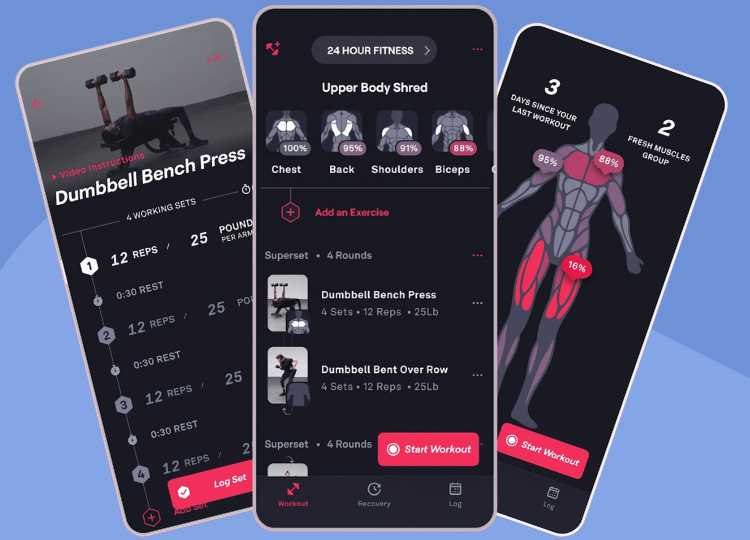
With 15 million downloads and more than 157 million workouts logged, Fitbod is one of the biggest names in strength training apps. It’s still growing fast too, with nearly 2.2 million new accounts created in 2025 alone.
I originally tested Fitbod in 2018 and this review aims to see if it is still the champion of champions for exercise tracking and customized workouts (back then, my gym routine was basically whatever machine was free, followed by a guilty 10 minutes on the treadmill).
Below, I share what it’s like to use on a daily basis, how it compares to other apps and tips on using it more effectively for your fitness routines.
Our expert’s take (reviewed by J. Graham)
In a hurry? Here’s how Fitbod stacks up against the winner of our workout apps comparison guide for 2026.
 Fitbod Fitbod |  A.P A.P | |
|---|---|---|
| Plans your progress in cycles Alpha Progression ramps effort weekly and schedules deloads. Fitbod adjusts session by session. | – | ✓ |
| Price Alpha Progression is cheaper, on both the monthly and yearly plans. | – | ✓ |
| Sets weight and reps Both tell you what to lift next. | ✓ | ✓ |
| Free to use Alpha Progression includes a free version and lets you switch between free and Pro without losing tracking history. | – | ✓ |
“Fitbod and Alpha are very similar, and Fitbod edges it on exercise range and cardio. But for deeper programming, a lower price and a free version to fall back on (without losing your tracking history), Alpha Progression wins.”

Jennifer Graham
Expert reviewer, personally tested both apps independently
Or read our best workout apps comparison guide to learn more

Fitbod Scorecard
- Ease of Use – 4/5
- Exercise/Workout Quality – 4.5/5
- Performance Tracking – 4/5
- Technical/Support – 4/5
- Price – 3.5/5
- Overall Rating – 3.9/5
Learn more about our review scorecards as part of our editorial review guidelines.
Fitbod – TL;DR
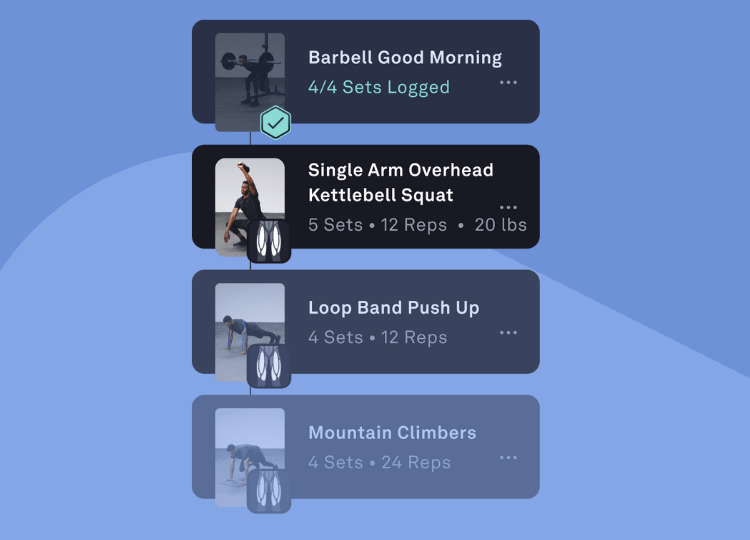
If you don’t want to read this Fitbod review in full, just swipe on the images below for some screenshots to give you a feel for what it’s like.


Fitbod is a fitness app that uses a training algorithm to build personalized workout sessions. The premise is simple… by tailoring workouts to specific goals and user preferences, as opposed to more general fitness workouts and programs, users are more likely to get healthier and fitter.
The more you use Fitbod and input data about your workouts, the more Fitbod can tailor recommendations for the future that will help you reach your goals.
Logging a set takes one tap, which matters more than it sounds when you’re sweaty, out of breath and trying not to drop your phone on the gym floor.
What I Like About Fitbod
Strength Training
Although Fitbod comes under the broader umbrella of a fitness app, it really focuses on strength training. I think this is a great specialty to focus on as so many people simply ignore strength training because they feel intimidated by it.
(If you’ve ever hovered at the edge of the free weights section, pretending to check your phone while working out what to do next, you’ll know exactly what I mean).
Fitbod makes strength training easier and creates a clear roadmap of what to do. It also allows you to select a type of strength training, from bodyweight movements, to HIIT, to more traditional bodybuilding workouts.
Exercises
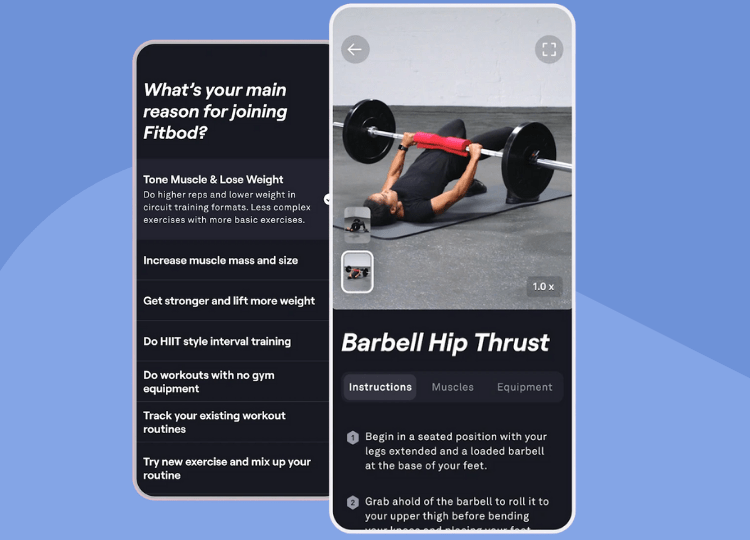
Fitbod’s library covers 1,000+ exercises, each with a professionally filmed video demo and written coaching cues. That makes it a great tool for discovering new ways to target specific muscles, and it keeps your workouts fresh and engaging… so you avoid that Groundhog Day feeling of doing the same 5 exercises every week just because they’re the ones you know.
You can search by muscle group, equipment or keyword, and the library includes cardio, mobility and even pregnancy-safe movements.
There’s a solid range of mobility work too, making it a genuine alternative to mobility apps like pliability or GOWOD.
Improved Exercise Library
The video library has also been updated and offers great demonstrations of each exercise. They’re fast to load, easy to watch and make learning new exercises a breeze. This feature in itself is probably worth the cost.
Progression
Fitbod’s algorithm is designed to help you reach your fitness goals, so it naturally keeps pushing you if you start to find workouts easy.
Instead of continuing to go through the motions, Fitbod will ensure future workouts have a slight increased difficulty to keep your muscles working hard and seeing progress.
If the workouts are too hard, then it will adjust them to ensure you can do them.
Strength Score and Workout Reports
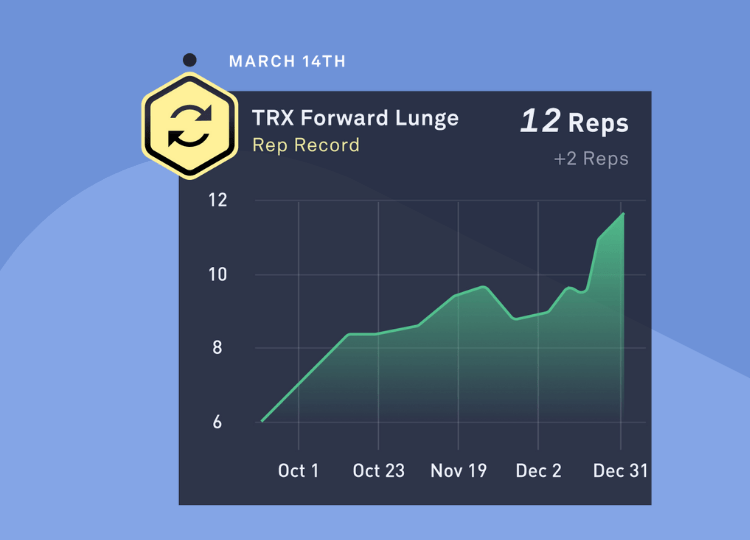
Fitbod turns your logged sets into an Overall Strength Score, plus a Muscle Strength score for each muscle group. Each muscle is scored on a 0–100+ scale, where 50 is roughly what the average Fitbod user can lift.
The Results screen also charts your estimated one-rep max on the big lifts (squat, deadlift, bench and overhead press). There’s also an opt-in Workout Report that lands every Monday with your weekly totals.
At a glance, you can see which muscle groups are lagging and whether you’re genuinely getting stronger, rather than just scrolling through old workouts.
Seeing my Strength Score tick up after a good week is genuinely motivating. It turns “hopefully all this effort is worth it” into an actual number I can watch climb.
Adaptable
Another great feature is the ability to workout based on the equipment you have access to. This instantly makes it ideal for anyone training at home, or that may not have access to a lot of the expected equipment.
It also means you can get recommendations that incorporate the equipment you prefer.
If you don’t like using dumbbells, you can just say you don’t have access to them, and no workout will include them.
This feature has also saved me countless times, when someone’s camped on the only cable machine (you know who you are!) Two taps and I’ve got a dumbbell alternative that hits the same muscle.
On the first day I tested Fitbod, I was exercising at home and set up a gym profile that only had a single set of dumbbells and a wobbly bench as the available equipment (because, yes, that’s my back-to-basics home garage set up!) and Fitbod still put together a workout that left me sore the next day.
Create Multiple Gym Profiles
Here’s a little hack for getting more out of the Fitbod app… If you find yourself working out in different settings (e.g. sometimes in a gym, sometimes at home, or whilst travelling), you can set up multiple gym profiles with the appropriate equipment, so you can get tailored workouts wherever you end up working out. Update – Fitbod now calls these Locations. You can also share a location’s equipment setup with a friend, so they can import it straight into their own app.
Automated Programming
Unless you have access to a Personal Trainer, there’s always that element of trying to decide what to do in a workout… and that can often mean subconsciously picking the easier option.
With Fitbod, the workouts are automatically presented to you, so you can simply follow along.
The workouts automatically adapt based on previous performances, so it’s like a continuous fitness program that ensures the workouts always feel personalized.
Supersets and Circuits
For more advanced lifters, or anyone short on time, Fitbod can build supersets (two exercises back-to-back) and circuits (three or more) straight into your workouts. There’s also a Timed Intervals option if you want HIIT-style sessions.
Simple Design
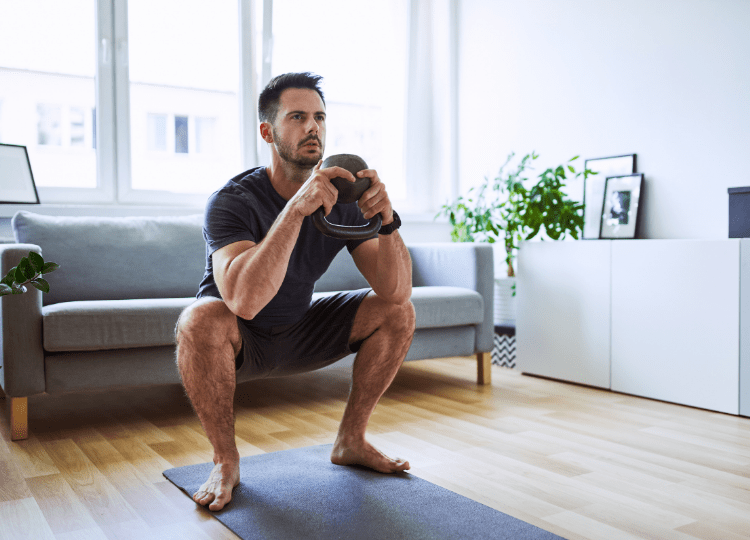
Fitbod doesn’t overcomplicate things and uses a very clean, intuitive design to map out workouts and exercises. Even if you’re not very techy, it’s an easy app to use.
This is a big bonus and means you can focus on the exercises, instead of getting frustrating with the app.
I’ve also found it to have no bugs or unexpected issues, unlike quite a lot of free fitness apps. Many free apps tend to flood you with ads which quickly becomes very annoying and often means they load slower or freeze too.
You can also log workouts from an Apple Watch or a Wear OS watch. Fitbod syncs with Apple Health, Health Connect, Strava and Fitbit too.
Built-in Rest Timers
One often-overlooked feature is Fitbod’s embedded rest timer system. Rather than guessing how long to rest between sets, the app provides structured rest periods with notifications when it’s time to start your next set.
Proper rest between sets is crucial for both hypertrophy and strength outcomes, and Fitbod acts like a personal coach reminding you when to lift again.
Muscle Recovery
A key component to strength training, or any type of fitness, is recovery. Fitbod naturally takes recovery into consideration and ensures your muscles have time to recover and rebuild.
Depending on what type of workouts you are following, the app will suggest how best to include recovery into the week.
It will recommend workouts based on your freshest muscles, to help improve your gym performance… which is a subtle but very effective feature for those that like to follow a muscle-group split program.
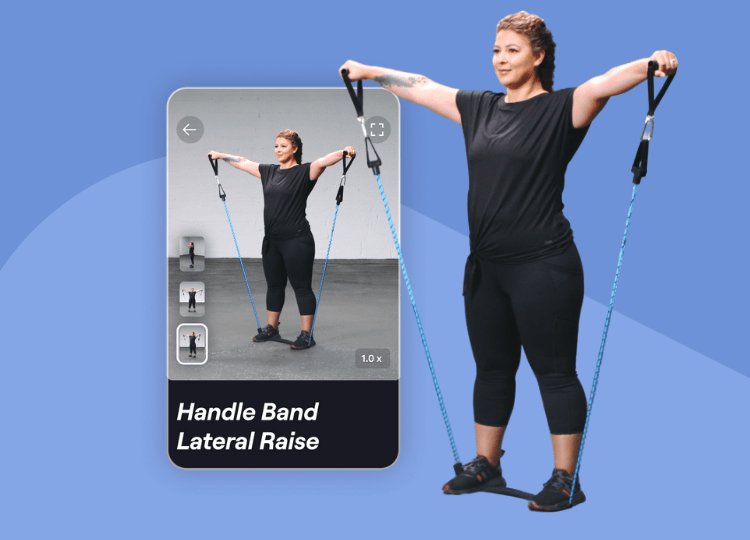
I also really like the Recovery tab page that includes a nice visual representation of what muscles have had adequate rest from your previous workouts.
There’s something oddly satisfying about opening the app the morning after leg day and seeing your quads glowing red on the heat map. It’s proof you worked hard, and a polite nudge to train something else today.
Fitbod gives each muscle group a recovery percentage from 0–100%, shown as a heat map, and you can override it if you feel ready sooner. If you sync Apple Health or Health Connect, activities like runs and hikes count toward your recovery too.
Warm-ups and cool-downs are built in as well. With a single tap, you can add soft tissue work, dynamic stretches, static stretches or primers to every session.
Exercise Swaps, Recommendations and Exclusions
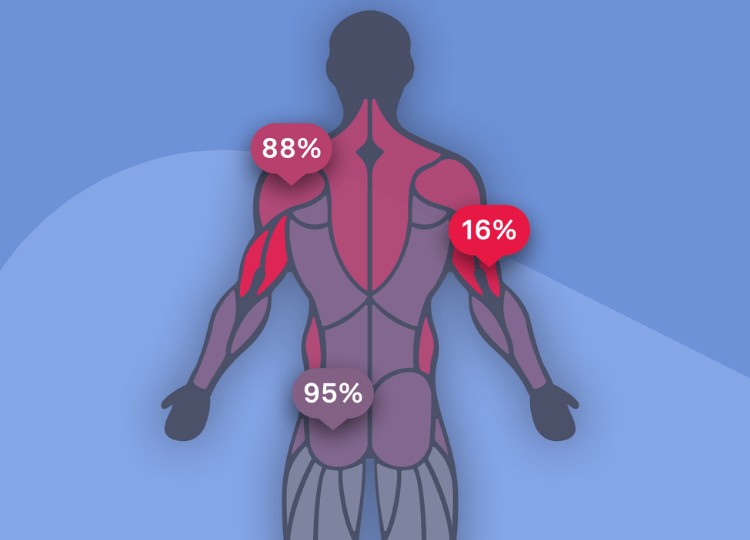
Fitbod lets you choose which exercises you want to see more of, and which ones you don’t want to see at all.
This is a really powerful feature and means the Fitbod algorithm can instantly learn your preferences to create better workout plans.
I think this is really useful for anyone who might struggle with certain exercises, such as high impact movements, that they would rather swap out for other exercises.
There’s now a dedicated Injuries/Limitations setting too. Describe the issue (or pick an area like knee or lower back), answer a few questions, and Fitbod suggests which exercises to exclude and which safer alternatives to recommend more often. One catch: it doesn’t override Focus Exercises, so you’ll need to swap those yourself.
The same principle applies to telling Fitbod which exercises you want to see more of, if you think they are helping you hit your goals.
Very few free workout apps or loggers include this sort of feature and for many, it will likely be used frequently.
Recommend More/Less Often
The more you use the “Recommend More/Less” feature, the more you’ll find your workouts are tailored to your preferences. If you find you like doing the same sorts of movements often, or really dislike certain exercises, getting into the habit of using the “recommend more/less” feature is definitely worthwhile.
Things to Consider
No Free Version
Once the 7-day trial ends, you can still view your past workouts, but you can’t log new ones without paying for the Elite membership. This isn’t a dealbreaker, but it’s worth noting that similar apps like Alpha Progression and Hevy both keep a free tier you can fall back on.
It’s One of the Pricier Options
At $15.99/month or $95.99/year, Fitbod costs more than a lot of its direct rivals.
Long-Term Programming Is Limited
Focus Exercises add a structured four-week cycle, but only for one main lift per workout. Everything else keeps adapting session by session, so there’s no full training block.
Who is Fitbod Best For?
Fitbod is great for anyone who perhaps can’t afford a personal trainer but is looking for guidance and support when working out.
Or to put it another way… think of the person who’s just joined a gym in January, full of good intentions but not quite sure where to start. That’s who Fitbod is brilliant for.
It’s ideal for anyone who is a beginner when it comes to strength training and doesn’t have a particular routine they are following.
By using strength training programs, Fitbod can help achieve all sorts of aims, including; getting stronger, building muscle mass, toning muscles and weight loss.
People can often be surprised when strength training achieves weight loss, but the reality is, it’s actually the ideal partner for any new diet or weight loss plan. Swapping fat for muscle is a key factor in your body’s ability to lose weight.
Who is Fitbod Not For?
Fitbod isn’t ideal if you want a free app. Once the trial ends, you’ll need a subscription to keep logging workouts.
It’s also not the best fit for experienced lifters who want fully periodized training blocks. Alpha Progression is better for that.
Fitbod doesn’t offer live classes to follow along to either or on-demand classes like BODi.
FAQs
How Much Does Fitbod Cost?
Fitbod costs $15.99/month or $95.99/year, which works out at about $8/month on the yearly plan.
That’s up from $12.99/month and $79.99/year, although subscribers on those older plans keep their legacy price.
New users get a 7-day free trial. You’ll need to pick a plan to start it, and it rolls into a paid subscription unless you cancel before it ends.
App Store and Google Play prices vary by country, so readers outside the US will see local pricing at checkout.
Is Fitbod Free?
Fitbod isn’t free, but it offers a 7-day free trial. You’ll need to choose a monthly or yearly plan to start it, and you won’t be charged until the trial ends. Cancel before then if it’s not for you.
After the trial, you can still log in and view past workouts, but logging new ones requires a paid subscription.
How accurate is Fitbod calories?
Like many fitness apps, Fitbod will provide an estimate for the calories burned after each workout. Fitbod calculates this by using the total volume of weight used in a workout and the duration of that workout, as well as physical attributes like height, weight, gender and age.
I think this provides enough information to create reasonable estimates for calories burned, but they are just estimates… and you’ll likely notice some workouts may be reported higher or lower.
If you’re serious about measuring calories burned during a workout, I’d recommend using a fitness tracker, like an Apple Watch or Fitbit to help provide more data for calories burned (by using things like heart rate).
If you have an Apple Watch, Fitbod can use that data to refine its calories burned reporting.
Fitbod Experience Level – Explained
Your Gym Profile within Fitbod includes an “Experience” section. This simply helps Fitbod recommend exercises that aren’t too difficult or out of your comfort zone. I feel this is a great feature for beginners, to ensure they can ease into things, without feeling overwhelmed by receiving advanced exercises or workouts.
If you’re unsure what level to select, opt for a lower level to begin with so you can get comfortable with everything, before increasing it.
When you feel you’ve really mastered all the exercises in your program and are looking to continue to challenge your body, I’d recommend increasing your fitness experience level. When you do increase your experience level, for example, from beginner to intermediate, you’ll probably find more isolation movements included, which obviously require more specific strength in a single muscle group.
HSA/FSA Eligibility
For US users, Fitbod subscriptions may be eligible for HSA/FSA reimbursement with a Letter of Medical Necessity from your healthcare provider. It won’t make the app free, but it does mean you pay with pre-tax dollars. Eligibility varies, so check with your plan administrator first.
Do You Need an Internet Connection to Log Workouts?
No… if you don’t have internet connection in the gym, don’t worry. Fitbod will save your stats locally and then upload them once you’ve got connection again.
Just make sure your workout was generated before you lost signal.
What Fitness Goal Should I Pick?
When you set up your plan, you can choose from seven goals: Build Muscle, Get Lean, Get Stronger, Reduce Bodyweight, Improve Fitness, Practice Powerlifting and Practice Olympic Weightlifting.
If you’re not sure, go with Improve Fitness, Build Muscle or Get Stronger. These are the most beginner-friendly and support most broader goals, such as losing fat.
Picking Practice Olympic Weightlifting will add lifts like the clean, jerk and snatch to your plan.
Do Fitbod Offer a Lifetime Membership?
At the time of writing, there are no lifetime membership offers available from Fitbod.
Fitbod have run unique lifetime membership offers in the past, but these are limited. If you are interested in a lifetime membership, I’d recommend subscribing to their email newsletter to be the first to know if they launch similar offers in the future.
Fitbod Alternatives
There are quite a few gym loggers and weightlifting apps that could be considered direct alternatives to Fitbod, including Strong, JEFIT, Alpha Progression and Fitness AI.
I thought it’d be useful to provide a clear overview of the current state of the market, in this comprehensive roundup of the best weightlifting apps. This guide highlights what I like, don’t like and things to consider about each one.
Bottom Line
Fitbod is still one of the best apps for anyone who wants their strength workouts built for them. The exercise demos, recovery tracking and equipment-based workouts are genuinely excellent.
It’s not the cheapest option though, and there’s no free version to fall back on once the trial ends. If you want more structured, long-term programming for less, Alpha Progression is my top pick for 2026, and you can get 20% off with code FD20.
Related Articles
BODi Review – Pros and Cons of Beachbody On Demand